Commands:
ALT – LMB – Rotate View
W – Move
E – Rotate
R – Scale
ALT + MMB(Press)= Move View
MMB (Scroll)= Zoom View
Hold RMB – Selection Face/Edge/Vertex
LMB = Left Mouse Button
MMB = Middle Mouse Button
RMB = Right Mouse Button
First Time Using Maya:
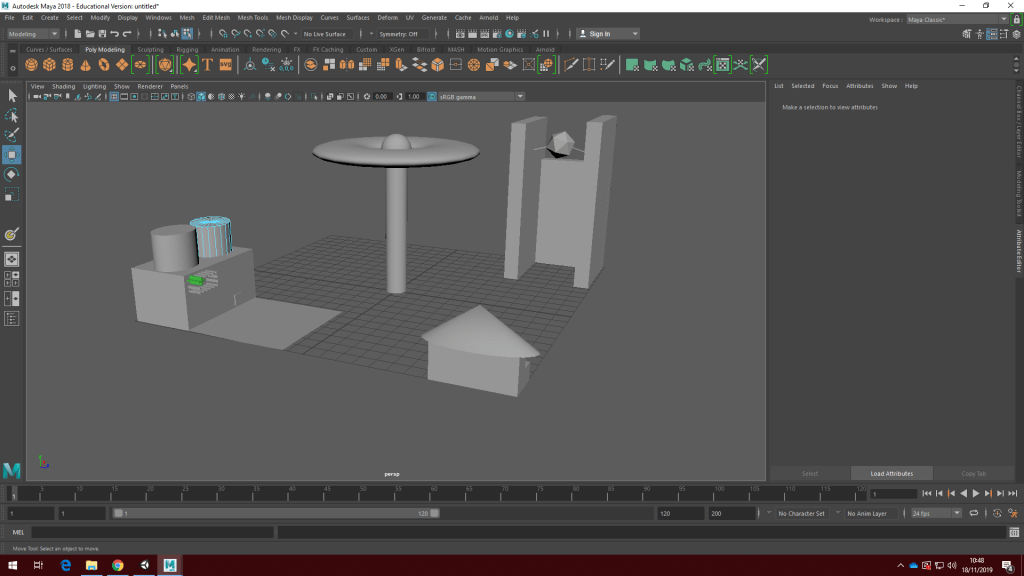
This is my “City” i made during my first time using Maya. I used all of the simple commands listed above to move rotate and scale my factory (on the far left), school(on the near right), Office building(far right) and finally my statue(centralized)correctly. I used all of the shapes to do this as well as a few of the less essential ones(the sign on the factory and i even had text on the office originally). I also touched on the selection/edge/vertex command and tried to use it to create a meteor above the planet statue in the center but couldn’t properly get the hang of it.
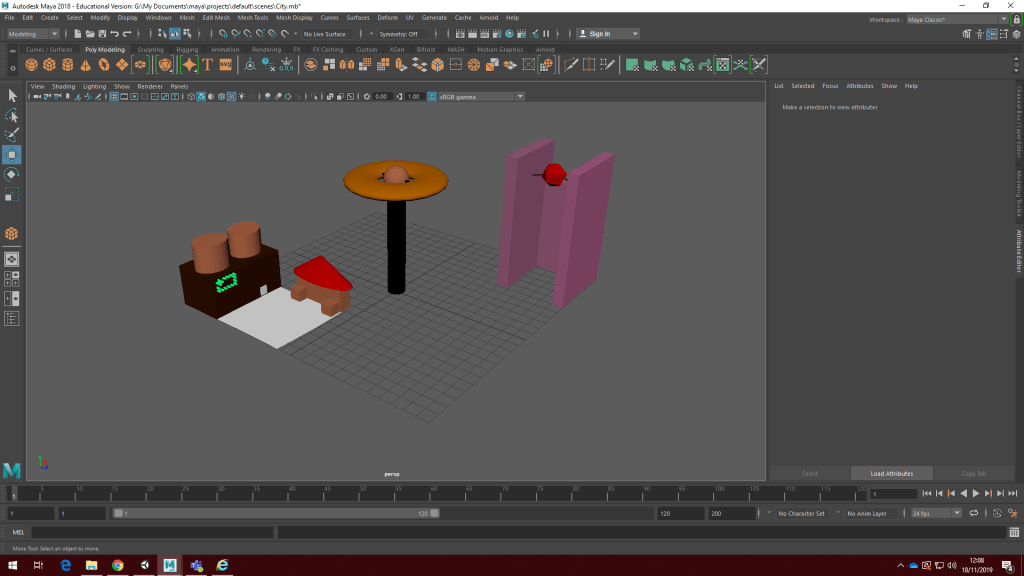
Next, I changed the colours of each object by holding down right click, adding a new material, clicking Lambert and editing the colour via the pop up box in the menu. i renamed each Lambert after the name of the colour i assigned and also moved the school building around to give a better screen-cap.
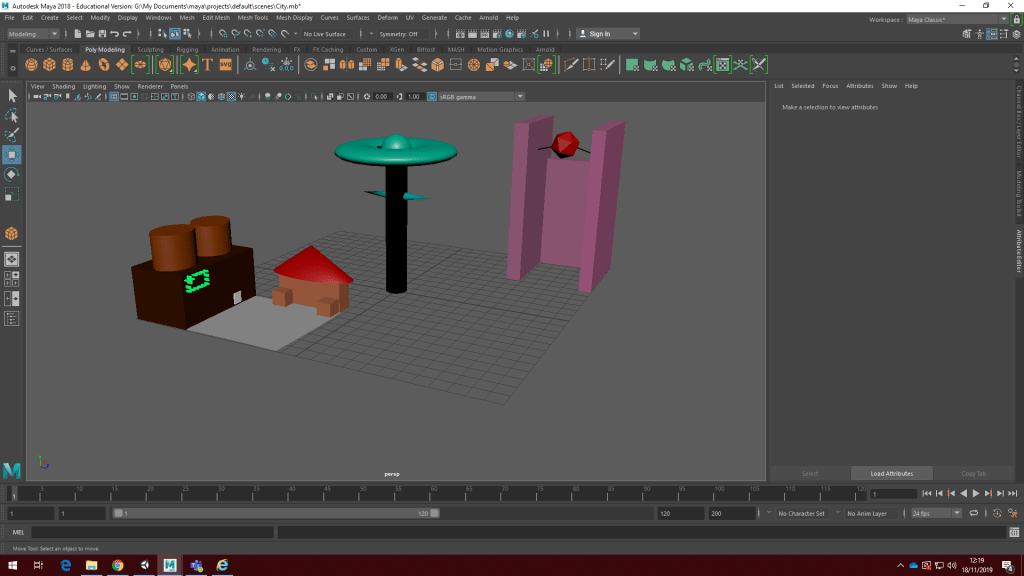
I then altered the colours of a few objects and changed them from Lambert to both Blinn and Phong. This includes all the statue like objects as well as the rooftop of the school and the towers above the factory.

 EthChilla’s Gamer Blog